How to record your OTB chess games automatically
You just played a great game over the board (a sharp middlegame, a tactic you're proud of)
and by the next round it's gone, because the moves were never written down. ChessGaze fixes that:
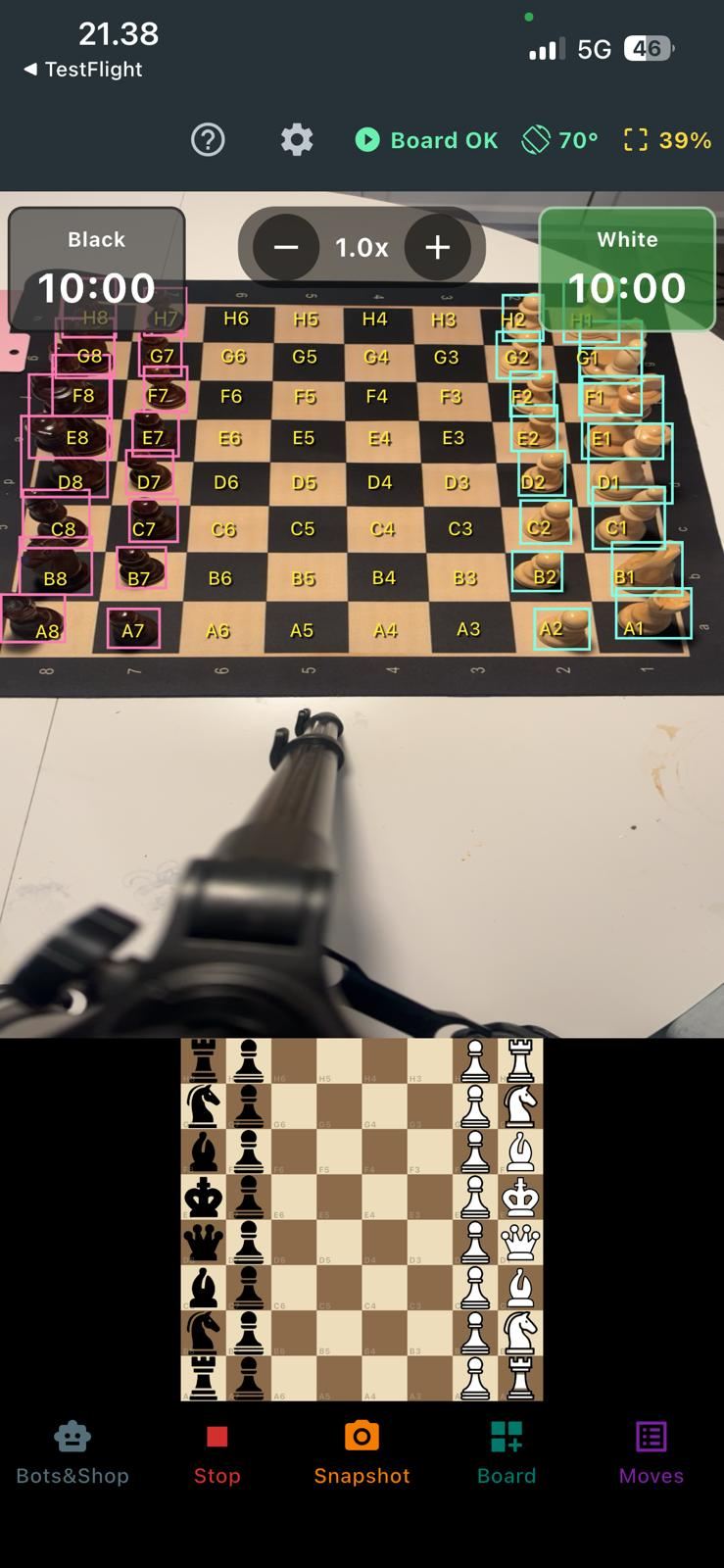
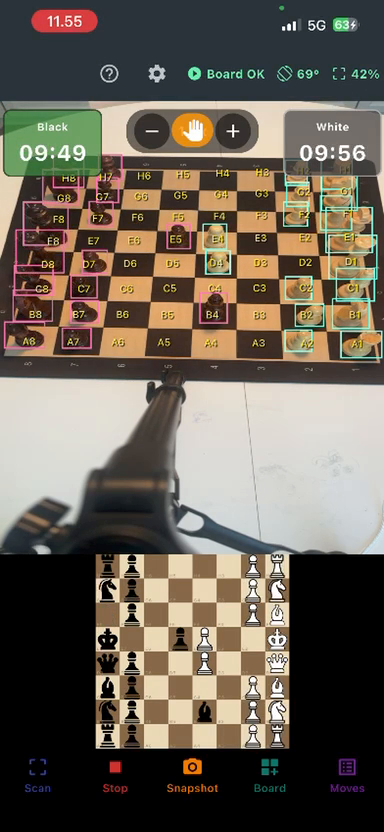
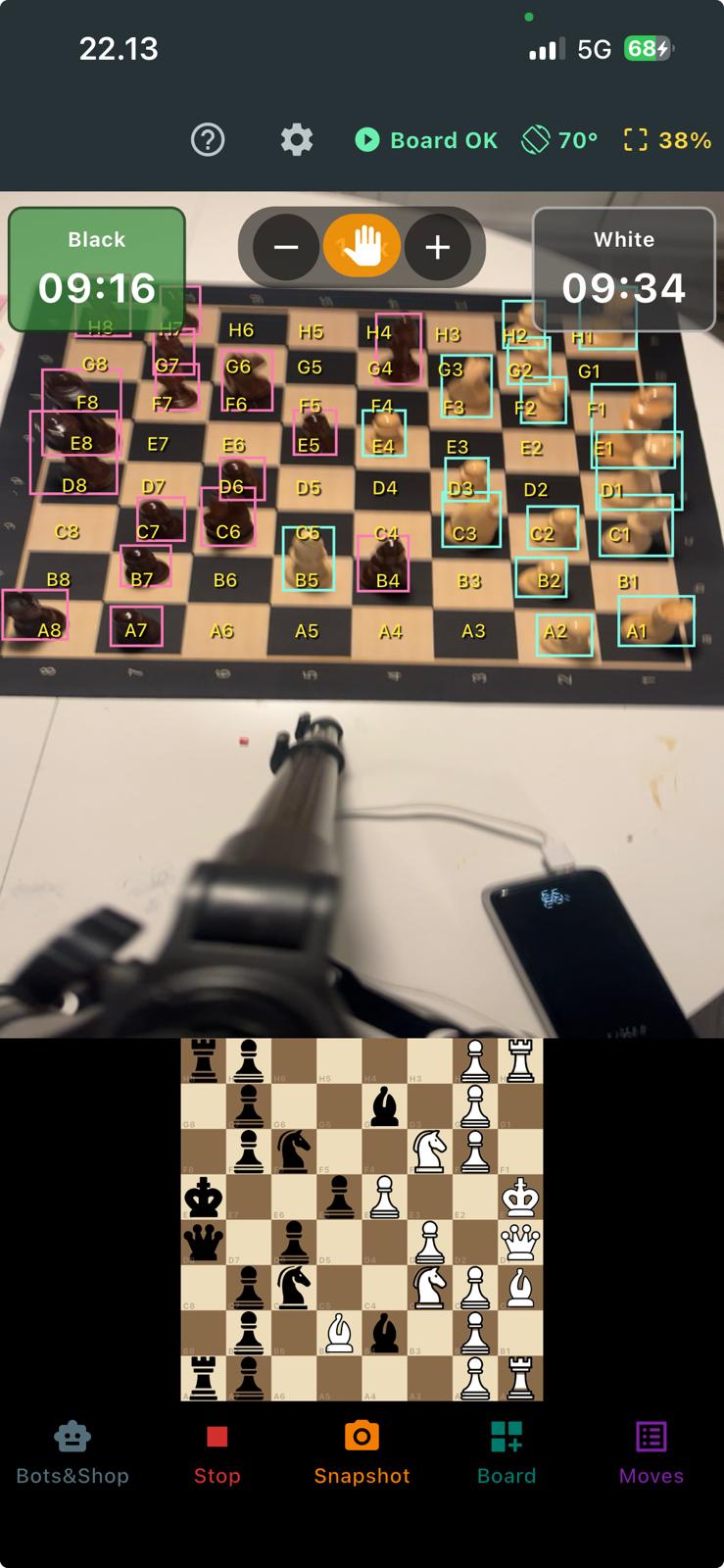
point your phone at the board and it uses computer vision to track every move
automatically, then exports the game as PGN so you can review it on Lichess or Chess.com.
What does "OTB" mean?
OTB stands for over-the-board, chess played on a real, physical
board and pieces, as opposed to online. It's how the game is meant to be experienced: in a club,
at a tournament, or across the table from a friend. The one downside of OTB versus online is that
nothing is recorded for you. Online, every move is saved automatically; over the board, you're on
your own.
The old way vs. computer vision
Traditionally, recording an OTB game means writing algebraic notation by hand on a
scoresheet, move by move, while the clock is running. It's slow, it breaks your concentration, and
in fast time controls the notation is the first thing to go. Then you have to type it all back in
to analyse it later. Approved electronic scoresheets exist, but they're expensive and tournament-specific.
ChessGaze takes a different route. Instead of sensors in a special board, it uses your
phone's camera and an on-device AI model to see the position and detect
each move as it happens, the same idea behind self-driving-car vision, pointed at your chessboard.
No writing, no special hardware, no cost.
How ChessGaze records an OTB game
1 Prop up your phone
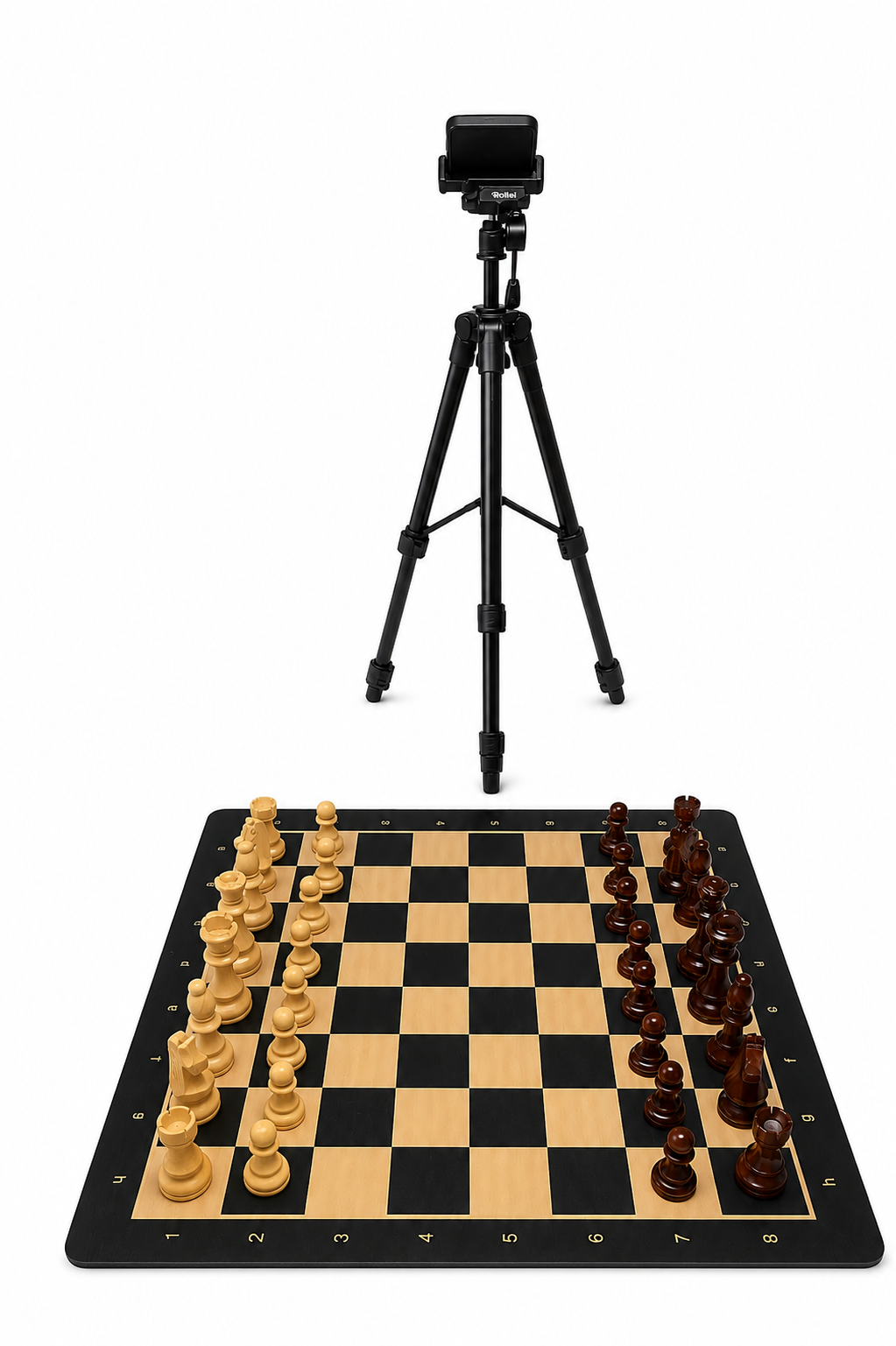
Rest your phone against a stand, book, or small tripod so the camera can see the whole board.
→
2 Start the game
ChessGaze detects the starting position and every piece using computer vision.
→
3 Just play
Play naturally. Each move is recognised and recorded automatically, with no writing and no tapping.
→
4 Export & review
Export the finished game as PGN and open it in Lichess or Chess.com to analyse.
Who it's for
ChessGaze is built for club players, coaches, and improvers who play on a real board
and want their games saved for analysis: the tactic you missed, the endgame you want to show a
student, the win you'd love to replay. It's also great for casual games at home, at a café, or on a
park bench.
A quick, honest note on rated tournaments: many official events restrict phones and electronic devices
at the board, so ChessGaze is best for casual, club, and training games. Always check your
tournament's device rules before using it during rated play.
Frequently asked questions
Is there an app that records OTB chess games automatically?
Yes, ChessGaze. Point your phone at the board and it tracks every move with computer vision,
then exports the game as PGN. It's free on iPhone and Android, and works with the chess set you
already own.
How does tracking OTB games with computer vision work?
ChessGaze runs an on-device AI model that detects the pieces on your physical board from the
camera feed, figures out what moved between positions, and records the move in standard chess
notation, all offline, with no internet required.
Do I need a special electronic board to record my games?
No. Unlike sensor boards that cost $200–400, ChessGaze uses your phone and any ordinary chess
set. See our comparison with smart chess boards.
Can I analyse the game afterwards on Lichess or Chess.com?
Yes. ChessGaze exports a standard PGN file, so you can import it into Lichess, Chess.com, or any
engine to review with Stockfish.